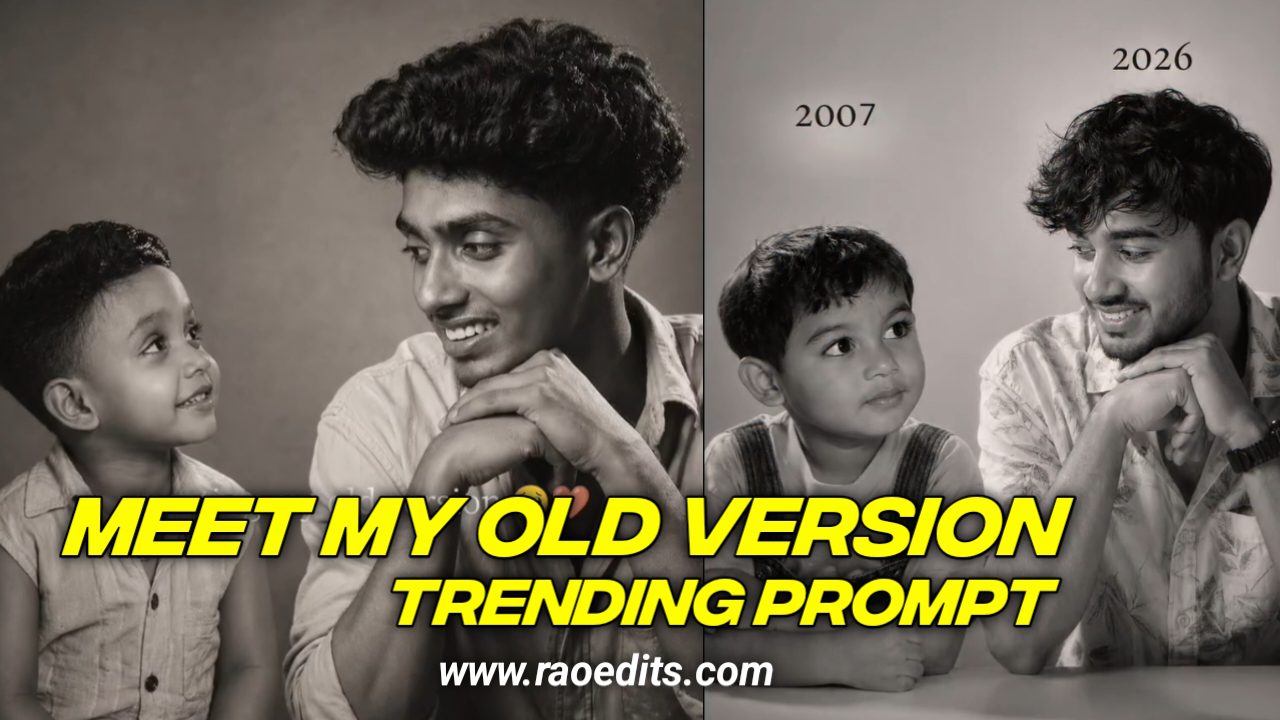
Aaj kal social media par ek new trend viral ho raha hai – Google Gemini Meet My old Vierson Prompts 2026 Photo Editing. Isme users apni simple photos ko AI tools ki madad se birthday theme mein edit karke unique aur stylish bana rahe hain. Agar aap bhi Instagram, Facebook ya YouTube Shorts par standout karna chahte ho, to yeh editing aapke liye perfect hai.
Google Gemini Kya Hai?
Google Gemini ek AI-powered platform hai jo images aur content generate karne ke liye design kiya gaya hai. Iska sabse bada advantage hai realistic aur creative output. Yahi wajah hai ki photo editors isse birthday edits, aesthetic posters aur Instagram reels ke liye use kar rahe hain.
Meet My old Vierson Gemini Prompts 2026 Editing Trend Kyu Viral Ho Raha Hai?
- Har koi apne Boring si Photo Ko unique banana chahta hai
- Gemini ke AI se photos zyada realistic aur professional lagti hain
- Social media influencers isko apne reels, stories aur edits me use kar rahe hain
- Aesthetic aur cinematic vibes easily mil jati hain
: Copy This Prompt :
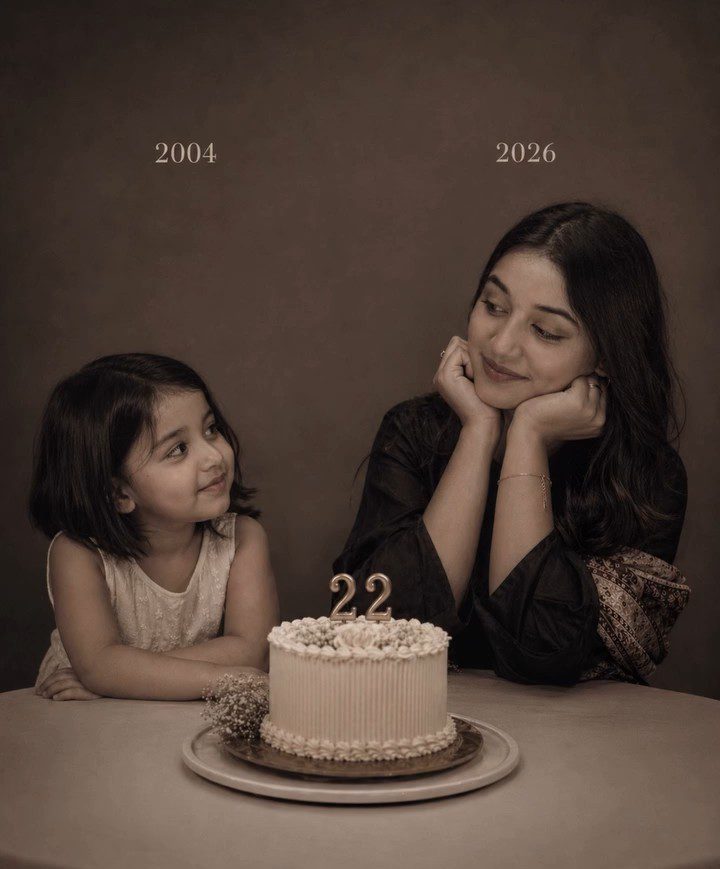
On the left: a child version of me (from a childhood photo) looking with an innocent smile to the right, with 2002 written above it. On the right: A present version of me (from a recent photo) sits with her hands under her chin and looks at the child with a calm smile, with “2026” written above her. In the middle: a table with a simple, elegant birthday cake with number 23 on top. Studio background: plain and soft (studio background) The lighting: Soft, cinematic, warm (even a black-and-white photo).
Style: Professional, minimal, emotional photography, focusing on feelings and visual communication between the two versions. Make the picture look so real like a real photoshoot.
Keep my original features without changing. photo size 4:5
Editing Karne ke Liye Kya-Kya Chahiye?
- Ek clear photo (apni photo)
- Google Gemini AI access
- Thoda sa creativity (background, props aur lighting choose karne ke liye)
- Optional: Lightroom / Picsart for finishing touch
Step-by-Step Guide: Viral Meet My old Vierson Prompts 2026 Edit Kaise Banaye :
- Apni photo ko select karo (simple pose best hai).
- Gemini me prompt likho – e.g.
- AI output aane ke baad best image choose karo.
- Editing apps me chhoti-moti corrections (brightness, text, stickers) karo.
- Social media par upload karke trending hashtags use karo (#GeminiAI #KrishnaEditz #RaoEdits).
Tips for Best Results :
- Bright aur clear photo ka use karein
- Props ka mention prompt me zaroor karein
- Agar professional look chahiye to lightroom presets use karein
- Instagram reels ke liye short video transition banayein
: Copy This Prompt :
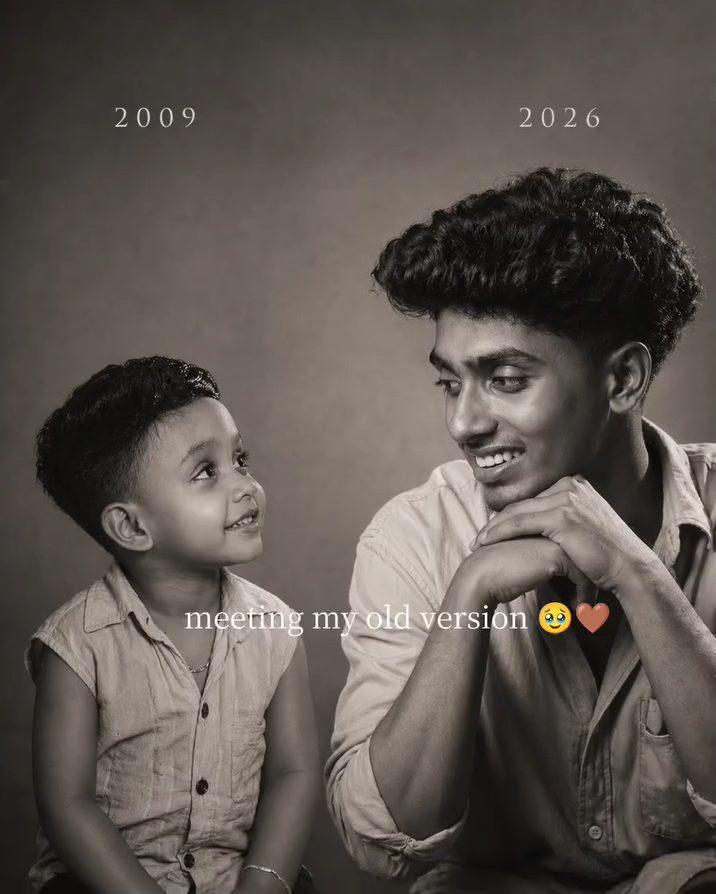
On the left: a child version of me (from a childhood photo) looking with an innocent smile to the right, with 2002 written above it. On the right: A present version of me (from a recent photo) sits with her hands under her chin and looks at the child with a calm smile, with “2026” written above her. In the middle: a table with a simple, elegant birthday cake with number 23 on top. Studio background: plain and soft (studio background) The lighting: Soft, cinematic, warm (even a black-and-white photo).
Style: Professional, minimal, emotional photography, focusing on feelings and visual communication between the two versions. Make the picture look so real like a real photoshoot.
Keep my original features without changing. photo size 4:5
Extractive :
Google Gemini Meet My old Vierson Prompts 2026 ek naya aur exciting trend hai jo aapke simple photos ko viral bana sakta hai. Agar aap bhi Apne Normal photos ko ek cinematic aur professional touch dena chahte ho, to is editing style ko zaroor try karein.